LogoGPT Image 2.5 AI
  • Create
  • Agent
  • AI Image
  • AI Video
  • Pricing
Now fully launched and available for all public community usersAugust 2025

Qwen Image 2 Generator

Create sharp, high-fidelity final outputs, prompt-led creative direction, and a one-of-a-kind visual signature with this hosted Qwen image generation tool. Tailored for targeted image-to-image edits and exact negative-prompt adjustments, it sets itself apart from leading competitors like GPT-4o, FLUX, and Seedream.

Loading...

Prompt:

auto

1:1

5:2

16:9

9:16

4:3

3:4

Model:
Resolution

Loading...

Scene Examples 1
Level Up Your Creative Workflows With Qwen Image 2

Create Sharp, High-Resolution Prompt-Guided Images With Qwen Image 2 Directly on This Page

Start with a detailed prompt, include a reference image only if it will meaningfully alter your desired result, then tweak the image to lock in a sharp, high-resolution finished piece.

01

First, Outline Your Core Image Goal

Jot down your core subject, planned layout, preferred materials, and precise visual tone for your completed project.

02

Only Include a Reference Image When Absolutely Necessary

Only add a reference photo if product branding, pose, or scene tone need to align perfectly with an existing source asset.

03

Set Your Resolution Once Your Vision Is Finalized

Start the high-resolution render only after your subject, color palette, and layout match your planned creative vision.

Key Benefits of Qwen Image 2

What Makes Qwen Image 2 Stand Out as a Prompt-Guided Hosted Image Generator

Qwen Image 2 excels when one clear prompt guides most of your creative strategy, finished outputs need to keep sharpness at higher resolutions, and you’d rather have a distinct visual style than competing models like GPT-4o, FLUX, and Seedream.

High-Resolution Outputs Without Complex ComfyUI Setup

Qwen Image 2 is perfect for visuals that need to stay sharp at 1792x1024 or 2048x2048, while keeping an intuitive, prompt-guided workflow.

This makes it a perfect fit for product concepts, presentation deck visuals, and polished review photography.
You can keep sharp detail without putting together a large library of reference images ahead of time.
It performs best when one single image needs to clearly communicate a full creative vision.

Model strength

Media example pending. This block highlights the model behavior the page is describing.

A Streamlined Image-to-Image Editing Workflow

This platform focuses on image-to-image for negative-prompt adjustments when product branding, color palettes, or scene tone need to align with one single source image closely.

This cuts down on complexity compared to standard ComfyUI editing workflows.
It’s ideal for product updates, still-life revisions, and scene tweaks that align with a specific aesthetic.
Use this tool when one single reference image is all you need to organize your creative workflow.

Perfect for Editorial and Intentional Portrait Projects

Qwen Image 2 shines at polished subject-led portrait photography when wardrobe, pose, setting, and tone need to stay closely aligned.

This makes it perfect for editorial layouts, portrait concepts, and carefully curated fashion creative strategy.
It works extremely well when your prompt sets one single aesthetic instead of mixing conflicting visual references.
Finished outputs feel more thoughtfully made than quick, rough draft outputs.

Perfect for Graphic or Illustration-Style Creative Guidance Using Prompt

Qwen Image 2 also works well for poster-style, illustration-focused, or shape-driven creative concepts when your prompt clearly outlines the composition.

It’s perfect for visuals that sit between graphic design and photorealistic styling.
This makes it helpful for travel posters, brand campaign concepts, and stylized mood boards.
The most important detail is to keep your color palette and visual goal clear within your prompt.
Core Practical Applications

Top Use Cases for Qwen Image 2

Qwen Image 2 stands out for prompt-guided high-resolution concepts, product photography, editorial layouts, and polished negative-prompt tweaks.

Product Concepts and Polished Brand Visuals

Leverage this tool for product concepts, polished brand visuals, and still-life concepts where prompt should guide most of your creative strategy.

Editorial and Illustration-Led Frames

It’s a reliable choice for editorial-style photography and campaign concepts that need sharper definition and detail compared to quick, rough draft outputs.

Single-Reference Visual Tweaks

Include one single reference photo if you want your finished output to align with a product, aesthetic, or scene tone closely without navigating an overly complicated ComfyUI workflow.

High-Resolution Creative Review Materials

Use Qwen Image 2 for visuals that need to stay sharp and clear at 1024x1024 or 2048x2048 for presentation deck reviews and side-by-side concept comparisons.

Prompt Frameworks & Real-World Practical Examples

Writing Strong, Effective Prompts: Real-World Examples & Pro Tips

These examples center on straightforward, prompt-led prompt frameworks. Qwen Image 2 delivers top-quality results when your image vision is clear, and your prompt provides most of the creative structure.

Product Photography

Leading prompt Alignment Benchmark Standards

Ideal for sharp product photos where form, materials, and color palette are top priorities.
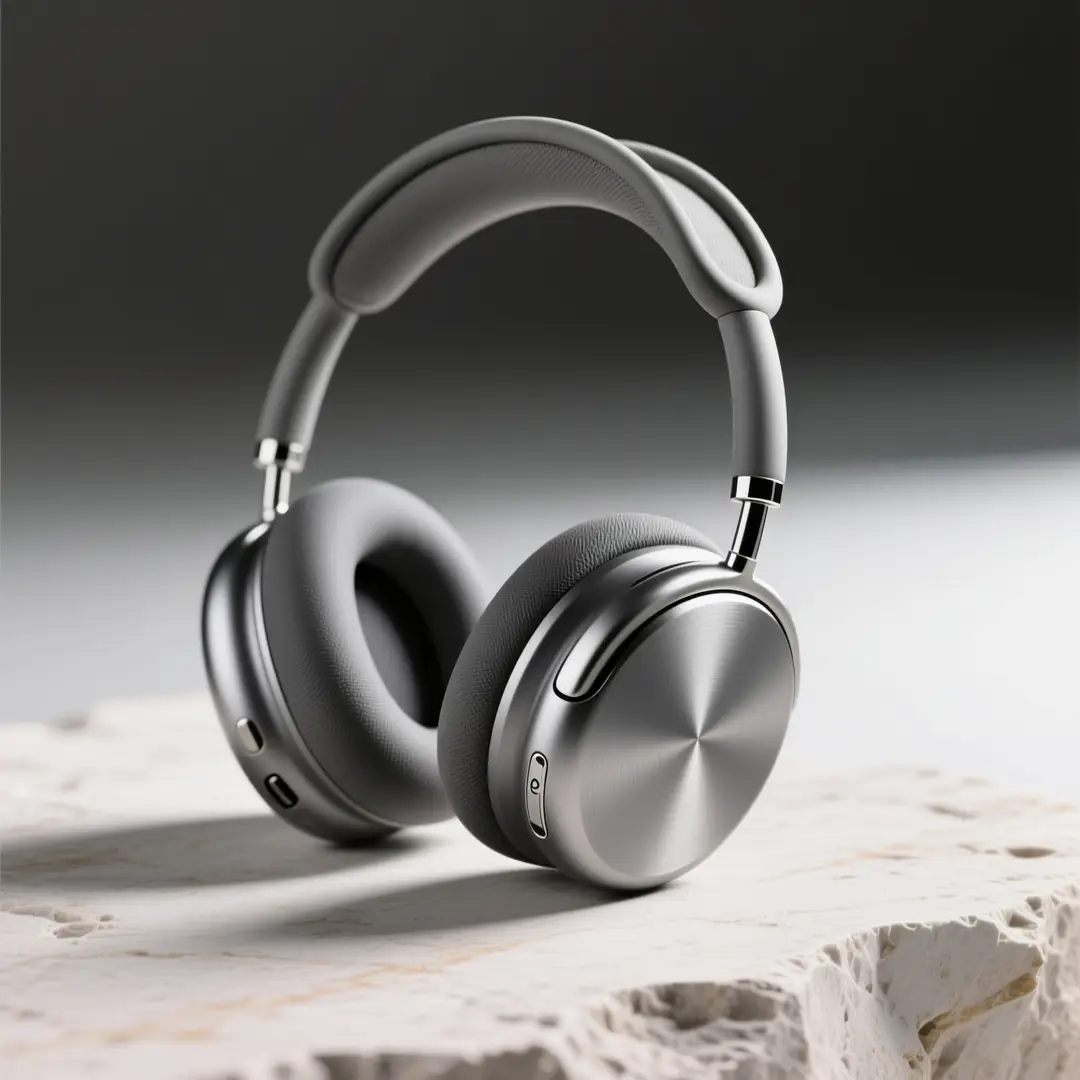
A sharp wireless headphones product hero shot with intentional material selections and a luxury color palette.

Premium Wireless Headphones Product Hero Image

Proven industry-standard Prompt best-practice generation workflow guide

[product] + [materials] + [surface] + [light] + [brand mood]

Dive into Complete prompt Documentation and Technical SpecificationsReveal Full Comprehensive Breakdown

Detailed prompt Breakdown and Overview

Create a polished product hero shot for premium wireless over-ear headphones. Use a matte graphite frame, brushed aluminum accent details, a pale travertine stone surface, and soft directional studio lighting. Maintain an uncluttered, luxury-focused layout optimized for high-resolution brand presentations.

Core Functional Components That Enable This Prompt To Deliver Standout, High-quality Outputs

Qwen Image 2 delivers its strongest results when your prompt clearly outlines form, materials, and tone without adding unnecessary scene details.

Desired Final Generated Project Outcome

A product-focused brand visual for presentation decks, concept reviews, or product launch preparation.

Expert Insider Tips for Creative Industry Professionals

  • Keep the scene uncluttered when the product is your main focus.
  • Clearly note surface texture and material finishes for consistent, dependable outputs.
Editorial Photography

Leading prompt Alignment Benchmark Standards

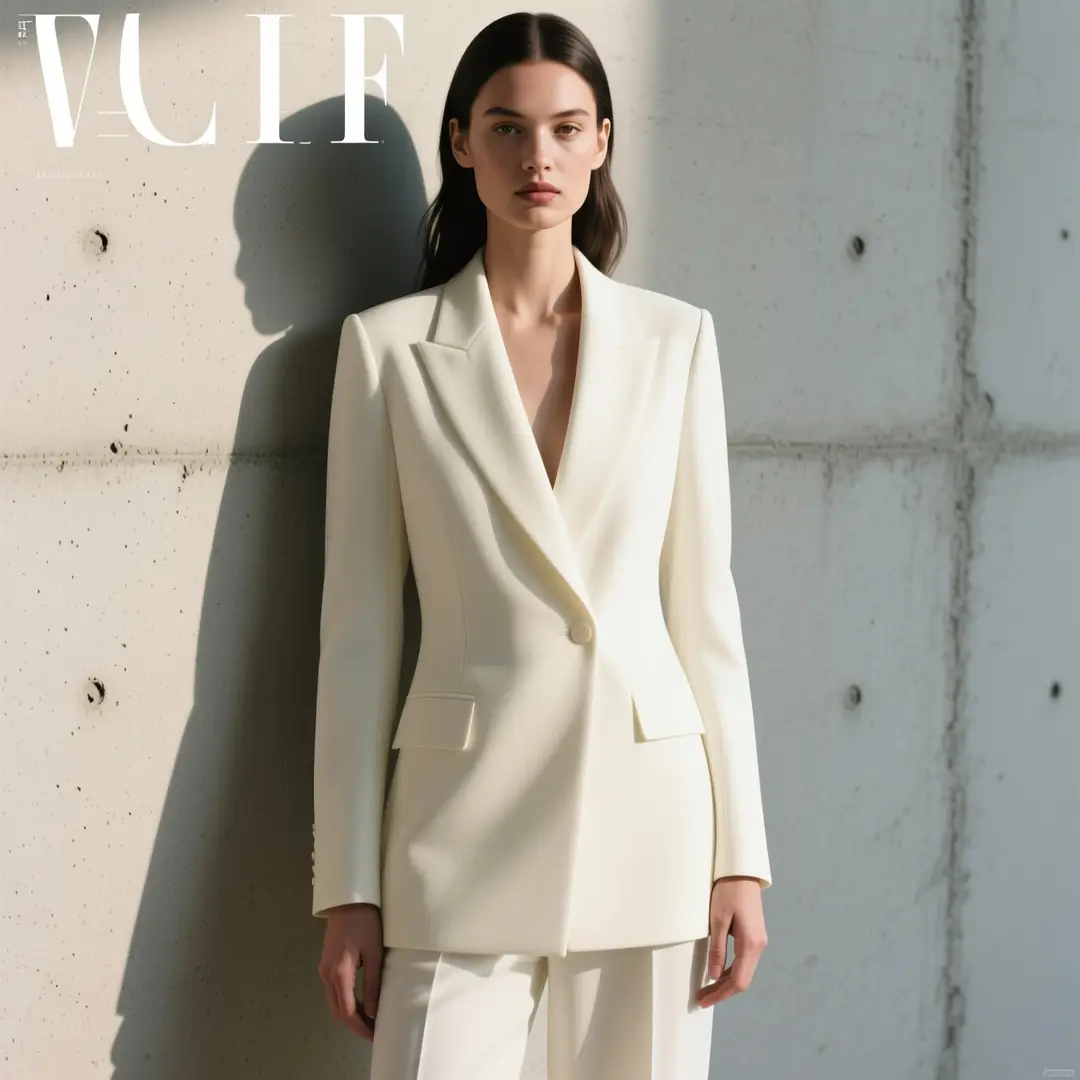
Perfect for editorial-style portrait concepts with polished styling and balanced color grading.

An editorial portrait concept with intentional styling, balanced color grading, and a detailed but tightly managed layout.

Editorial Portrait Concept

Proven industry-standard Prompt best-practice generation workflow guide

[subject] + [wardrobe] + [setting] + [light] + [editorial tone]

Dive into Complete prompt Documentation and Technical SpecificationsReveal Full Comprehensive Breakdown

Detailed prompt Breakdown and Overview

Create an editorial portrait concept with a model wearing ivory tailored attire standing against pale polished concrete. Use soft side lighting, a calm, direct pose, understated styling, and a modern magazine aesthetic that delivers high-resolution, detail-rich results without feeling overly dramatic.

Core Functional Components That Enable This Prompt To Deliver Standout, High-quality Outputs

This prompt sets one single subject, clear wardrobe direction, and cohesive visual tone, which helps Qwen Image 2 create consistent, focused results.

Desired Final Generated Project Outcome

A detailed editorial concept for fashion or brand creative strategy reviews.

Expert Insider Tips for Creative Industry Professionals

  • Match your wardrobe and setting with one single cohesive aesthetic.
  • Steer clear of mixing conflicting editorial references to keep your results on course.
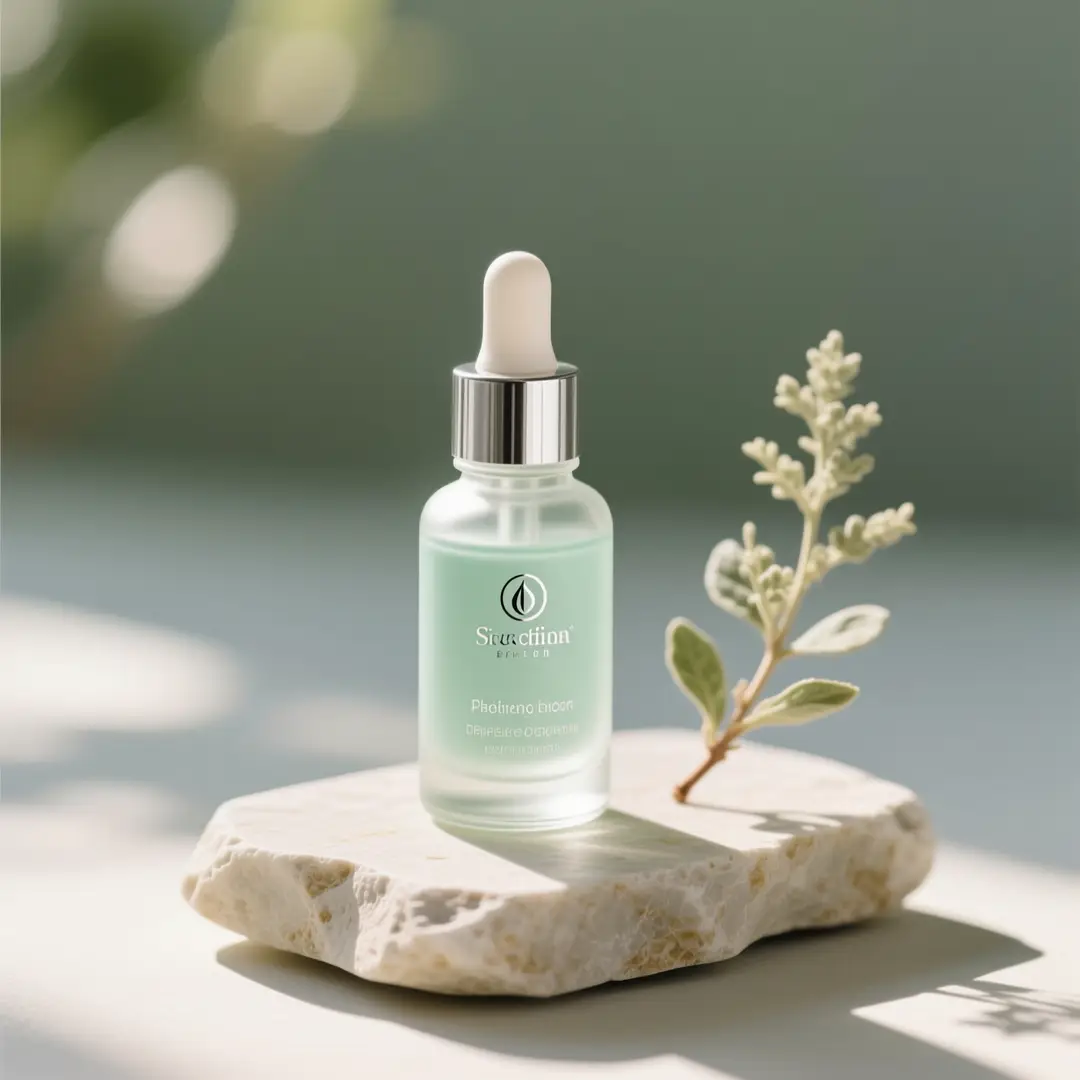
Beauty Campaign Photography

Leading prompt Alignment Benchmark Standards

Ideal for beauty and product still lifes where precise surface details and a calm color palette are essential.

A beauty still-life concept with serene palette control and precise product rendering.

Beauty Still-Life Concept

Proven industry-standard Prompt best-practice generation workflow guide

[beauty product] + [props] + [palette] + [light] + [campaign mood]

Dive into Complete prompt Documentation and Technical SpecificationsReveal Full Comprehensive Breakdown

Detailed prompt Breakdown and Overview

Create a beauty still-life concept for a clear glass serum dropper bottle with pale sage green accents, brushed silver hardware, and soft morning side lighting. Use a pale travertine stone surface, one complementary botanical accent, and a calm luxury wellness tone optimized for high-resolution campaign creative strategy.

Core Functional Components That Enable This Prompt To Deliver Standout, High-quality Outputs

This product-focused prompt framework works perfectly for beauty campaigns because the creative structure is built from clear subject, palette, and lighting choices.

Desired Final Generated Project Outcome

A detailed beauty campaign still life for product presentation decks and creative visual strategy.

Expert Insider Tips for Creative Industry Professionals

  • Keep prop numbers low to keep the product front and center.
  • Add clear palette guidelines to make sure your finished image feels cohesive and polished.
Brand Campaign Concept

Leading prompt Alignment Benchmark Standards

Perfect for stylized campaign concepts that balance product clarity and illustration-focused styling.

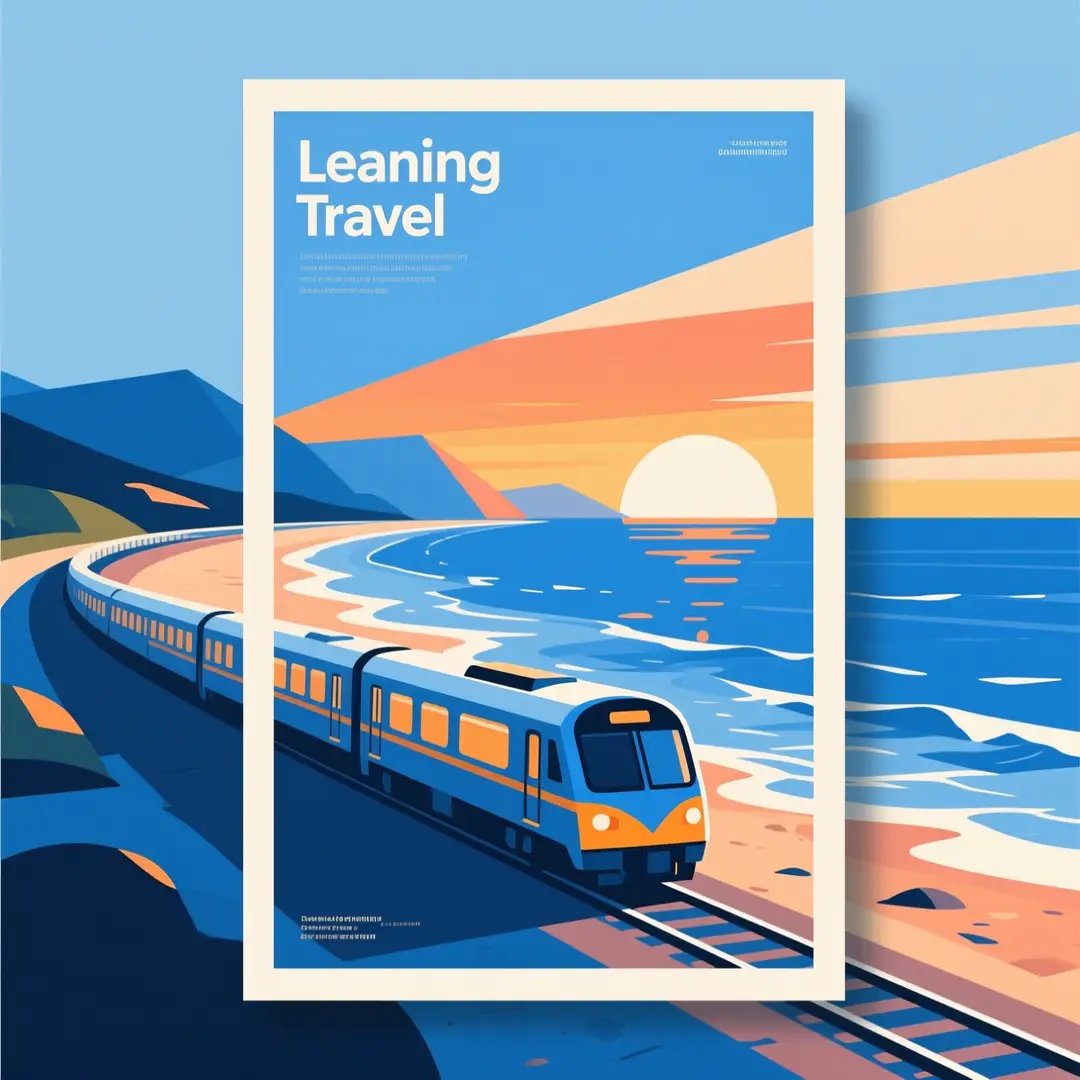
An illustration-style travel poster concept with a clear layout and rich, managed detail.

Illustration-Style Travel Poster Concept

Proven industry-standard Prompt best-practice generation workflow guide

[subject] + [destination or theme] + [visual style] + [palette] + [poster mood]

Dive into Complete prompt Documentation and Technical SpecificationsReveal Full Comprehensive Breakdown

Detailed prompt Breakdown and Overview

Create an illustration-style travel campaign poster concept for a scenic coastal train route. Use clean geometric shapes, layered ocean blue tones, warm sunset highlights, and a modern luxury travel aesthetic. Maintain a detailed, high-resolution image with a stronger graphic focus than photorealistic styling.

Core Functional Components That Enable This Prompt To Deliver Standout, High-quality Outputs

Qwen Image 2 shines at prompt-led stylistic direction when your image vision is clear and your color palette is carefully selected.

Desired Final Generated Project Outcome

A stylized campaign concept for travel branding or poster creative strategy.

Expert Insider Tips for Creative Industry Professionals

  • Note if you want the piece to lean toward graphic design or photorealistic styling.
  • Match your destination’s aesthetic and color palette for consistent, dependable results.
Key Scenarios for Using Qwen Image 2

Pick Qwen Image 2 When Prompt-Guided High-Resolution Control Matters More Than Navigating ComfyUI Complexity

Qwen Image 2 is the top pick when your prompt itself should guide most of your creative strategy, finished outputs need to keep sharpness at higher resolutions, and one single reference image is enough.

Pick Qwen Image 2 When You Want Sharp, Detailed Results From a Streamlined Prompt-Guided Workflow

Leverage this tool for high-resolution concepts, product photography, editorial layouts, and similar jobs where one clear prompt acts as your main creative guide.

Select a Different Model When Your Task Requires Other Strengths

Go with GPT-4o when text clarity and layout are your top priorities, pick Seedream if you’d rather use an alternate polished model family, and select FLUX 2 if open-source deployment is a key factor in your decision.

Creator Community Perspectives

Video Walkthroughs & Independent Reviews of Qwen Image 2

These videos demonstrate how creators use the Qwen image family in real hosted and local GGUF-style workflows. They help confirm the top use cases for the model after reviewing the prompt examples shared previously.

Curated Showcase of AI Video Generation Works

Open-Source Community

Handpicked Open-Source Resources for Qwen Image 2

Qwen Image 2 boasts a more robust public ecosystem than most hosted image models. These links let users explore the official release, review model weights, and learn when local or workflow-based use is practical.

GitHub Publicly Available Source Code Repository for the Official Open-Source Project 01

QwenLM / Qwen-Image

Official repository

The official Qwen Image source repository. It acts as the primary resource for release notes, inference guides, and public documentation for the Qwen image family.

4,431 Total number of GitHub stars accrued across the project repository
Apache-2.0
Visit the Official Hub for the Open-Source Project

GitHub Publicly Available Source Code Repository for the Official Open-Source Project 02

Qwen / Qwen-Image on Hugging Face

Official model card

The official Hugging Face model card and weight listing for Qwen Image. It’s a fantastic resource for verifying release artifacts and public weight accessibility.

0 Total number of GitHub stars accrued across the project repository
Open weight release
Visit the Official Hub for the Open-Source Project
FAQs

FAQ

All the key details you need to know about GPT Image 2.5 and our platform

What is Qwen Image 2?

The hosted Qwen image generation tool available directly on this page is Qwen Image 2. It’s calibrated for professional creative work and negative-prompt polishing, perfect for anyone needing sharp, high-resolution outputs and a streamlined, prompt-guided creative workflow.

What use cases is Qwen Image 2 ideal for?

Qwen Image 2 stands out for product photography, polished concept art, editorial photoshoots, illustration-led campaigns, and similar jobs that require sharp, detailed results without navigating overly complicated ComfyUI workflows.

Can Qwen Image 2 work with image inputs on this page?

Absolutely. The image-to-image tool on this page supports single reference image uploads, perfect for image-to-image tweaks where product branding, color palettes, or scene tone need to align closely with an existing source asset.

What resolutions are supported by Qwen Image 2 on this site?

Qwen Image 2 supports 1024x1024, 1792x1024, and 2048x2048 on this platform. This page leverages the most recent model setups for its approved aspect ratios, with the full workflow focused on sharp, high-fidelity finished outputs.

What’s the best way to write stronger, more effective prompts?

The most impactful tactic for writing stronger, more effective prompts is to be explicit about your core subject, preferred visual style, materials being used, and complete scene layout. Qwen Image 2 delivers its best results when your prompt is detailed and structured thoughtfully, especially if you want one single image to clearly convey a polished, high-resolution creative vision.

When should I choose Qwen Image 2 over GPT-4o and FLUX 2?

Go with Qwen Image 2 if you want a high-resolution hosted model with a unique visual signature and a more streamlined prompt-guided workflow. Select GPT-4o if sharp, easy-to-read text is your top priority. Opt for Seedream if you’d rather use an alternate model family for polished product or interior visual work.

Does Qwen Image 2 work well for concept art and product visuals?

Without a doubt. Qwen Image 2 excels at product concepts, editorial layouts, illustration-led campaign visuals, and similar jobs that thrive with precise, purposeful prompt-guided results.

Is it okay to use Qwen Image 2 generated images for commercial purposes?

If you intend to use Qwen Image 2 generated outputs for commercial projects, treat them just like any other hosted model’s created assets before sharing them publicly. The commercial viability of your work will depend on your unique use case, internal review guidelines, and the platform’s relevant terms of service.

Still have questions? Our support team is ready to help.

Similar Model Options

Compare Qwen Image 2 Against Other Image Models on This Platform

If Qwen Image 2 isn’t the right match for your needs, check out these model pages for stronger text handling, open-source deployment, or an alternate polished visual style.

GPT-4o AI Image Generator

Use GPT-4o when legible text and layout-focused editing matter more than strict prompt-guided visual control.

Explore Our Curated Set of Associated AI Models

Z-Image AI Image Generator

Compare your choices to Z-Image when open model weights, local deployment, and downstream customization are higher priorities.

Explore Our Curated Set of Associated AI Models

Seedream 4 Image Generator

Test out Seedream 4 if you’d like an alternate hosted model family with a more commercially focused default output.

Explore Our Curated Set of Associated AI Models

FLUX 2 Image Generator

Compare against FLUX 2 if you’d like another polished hosted tool for product, interior, and brand visuals.

Explore Our Curated Set of Associated AI Models

Start Using Qwen Image 2 Today

Open the generator tool, start with a detailed prompt, and use Qwen Image 2 to create high-resolution prompt-guided images directly on this page.

Resources
  • Blog
  • Create
  • Scenes
  • Works
  • Prompts
  • Image to Prompt
  • Batch Image to Prompt
Company & Legal
  • About
  • Contact
  • Privacy Policy
  • Terms of Service
  • Refund Policy
Image Models
  • Z-Image
  • GPT-4o
  • Flux 2
  • Flux 2 Pro
  • Flux 2 Klein
  • Qwen Image 2
  • Seedream 4.0
  • Seedream 4.5
  • Seedream 5.0
  • Grok Imagine
  • Nano Banana Pro
  • Nano Banana Flash
  • Nano Banana 2
Video Models
  • Google Veo 3.1
  • Google Veo 3.1 Lite
  • Google Veo 3.1 Pro
  • Seedance 1.5 Pro
  • Seedance Fast
  • Seedance Quality
  • Seedance 2.0
  • Hailuo 02
  • Kling v2.6
  • Kling v2.5 Turbo
  • Kling v2.1
  • Kling v2.1 Master
  • Kling O1
  • Kling v3.0
  • Kling v3.0 Pro
LogoGPT Image 2.5 AI

Powered by GPT Image 2.5 AI | Photorealistic Image Generation | OpenAI Quality

Email

This website is an independent third-party service built around GPT Image 2.5 workflows. We are not the official OpenAI website. GPT Image 2.5 and related trademarks belong to OpenAI.

© 2026 GPT Image 2.5 AI All Rights Reserved. DREAMEGA INFORMATION TECHNOLOGY LLC